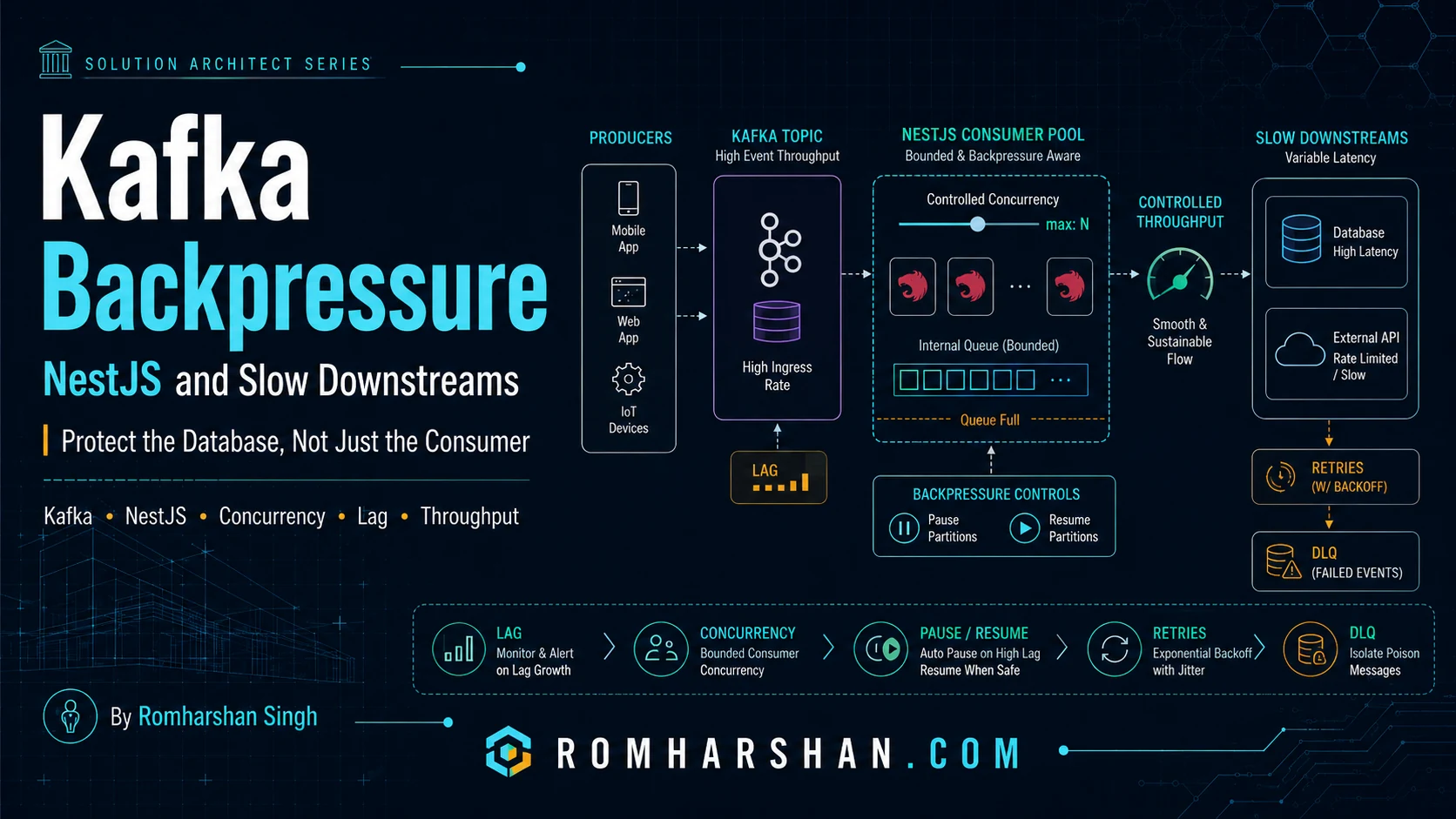
Backpressure in Kafka and NestJS: Protecting Slow Databases and APIs
The production problem
One of the most dangerous Kafka assumptions is:
if lag grows, add more consumers.
That works only if the downstream system can scale too.
Imagine:
Kafka can deliver:        20,000 events/sec
Consumer code can parse:  15,000 events/sec
Database can persist:      3,000 writes/sec
Adding consumers can make the database fail faster.
I use backpressure to keep in-flight work within the sustainable capacity of the slowest dependency.
Bounded concurrency
import pLimit from 'p-limit';

const dbLimit = pLimit(20);

await Promise.all(
  messages.map((message) =>
    dbLimit(
      () => persistEvent(message),
    ),
  ),
);
The number 20 must come from measurements.
If the DB pool has 30 connections, using 100 concurrent writes per consumer instance is obviously unsafe.
Batch insert
For audit/history workloads:
INSERT INTO audit_events (
  event_id,
  aggregate_id,
  event_type,
  payload,
  created_at
)
VALUES
  (?, ?, ?, ?, ?),
  (?, ?, ?, ?, ?),
  (?, ?, ?, ?, ?);
Batching reduces round trips.
But larger batches increase:
- memory;
- retry granularity;
- transaction duration;
- lock time;
- rebalance risk.
I benchmark batch sizes such as 50, 100, 250 rather than assuming the biggest batch wins.
Pause/resume
With KafkaJS-style consumers:
async function guardDownstreamCapacity(
  consumer: Consumer,
  topic: string,
) {
  if (
    dbPool.waitingCount > 50 ||
    memoryQueue.depth() > 500
  ) {
    consumer.pause([{ topic }]);

    await waitUntil(
      () =>
        dbPool.waitingCount < 10 &&
        memoryQueue.depth() < 100,
      30_000,
    );

    consumer.resume([{ topic }]);
  }
}
I prefer pausing the source over creating an unlimited in-memory queue.
Kafka lag is a buffer
A growing lag is not automatically failure.
If the business accepts a ten-minute processing delay during a downstream incident, Kafka is doing exactly what it should: retaining work safely.
I care about:
current lag
oldest event age
processing rate
incoming rate
estimated catch-up time
A useful operational estimate:
catch-up seconds =
backlog /
(processing rate - incoming rate)
If processing rate never exceeds incoming rate after recovery, the backlog will never clear.
Database pool
I monitor:
active connections
idle connections
waiting requests
query p95/p99
transaction time
lock wait
CPU
IOPS
Pool waiting time is often a better early signal than DB CPU alone.
Downstream API backpressure
If a consumer calls an external API limited to 100 RPS:
Kafka
 |
Consumer
 |
token bucket / concurrency limit
 |
External API 100 RPS
More Kafka partitions do not increase provider quota.
Load shedding
For some telemetry workloads, not every event has equal importance.
If business rules allow:
critical audit event -> never drop
high-frequency diagnostic sample -> sample/drop under overload
Load shedding can protect important work.
I make that decision explicit with product/business owners.
Rebalance
Long processing inside one poll can trigger consumer group issues.
I keep work bounded and configure:
session timeout
heartbeat
max poll interval
batch size
to match the processing model.
Production checklist
- Measure downstream sustainable throughput.
- Bound in-flight concurrency.
- Monitor DB pool waiting.
- Use pause/resume before memory explodes.
- Batch only after benchmarking.
- Track oldest event age.
- Calculate backlog recovery time.
- Respect external API quotas.
- Configure consumer heartbeat/poll behavior.
- Load-test recovery from a large backlog.
FAQ
Is consumer lag bad?
Not inherently. It is bad when delay violates SLA or cannot recover.
Should I increase partitions?
Only when downstream work can also scale.
Backpressure or DLQ?
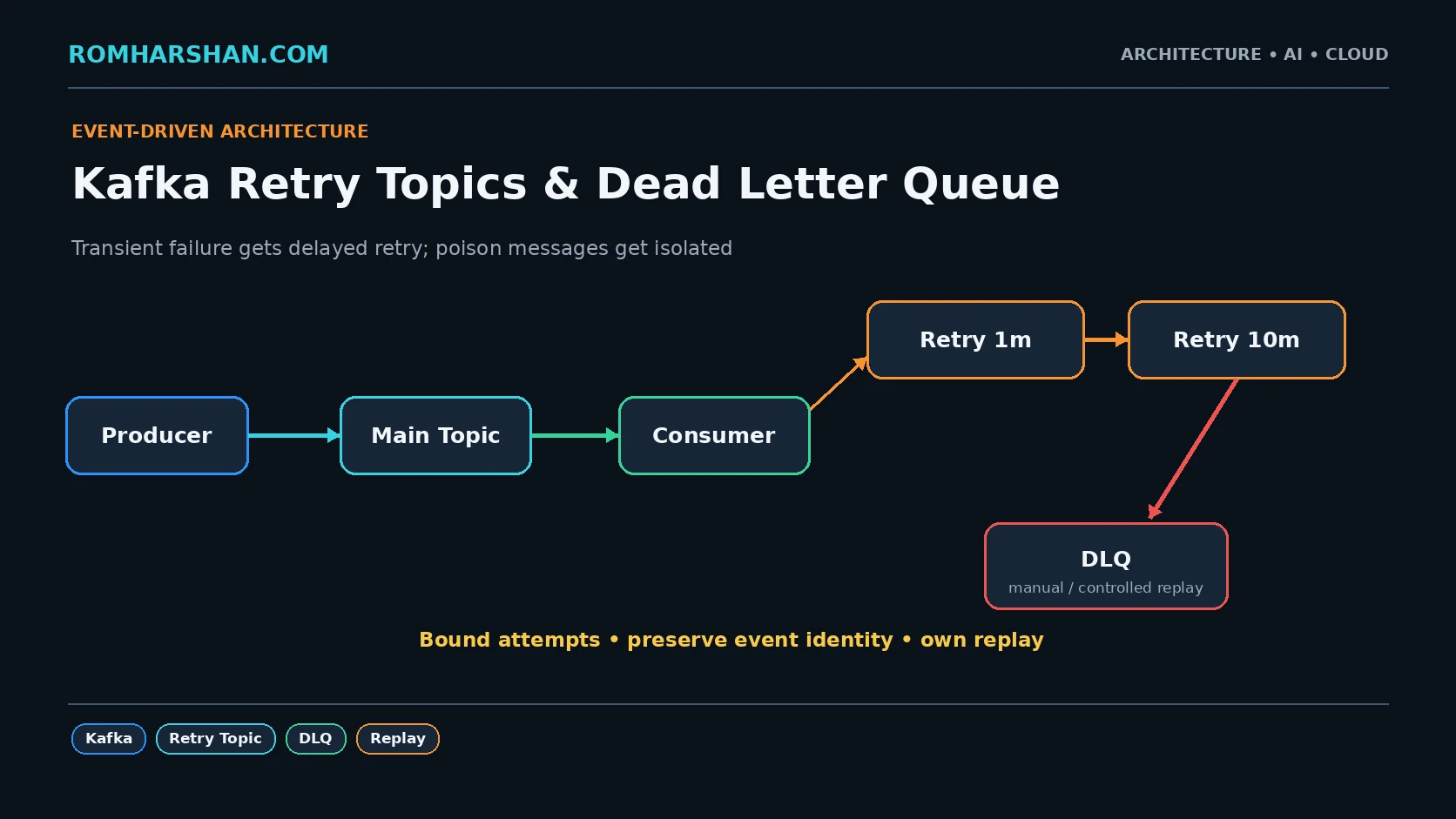
Backpressure handles temporary capacity mismatch. DLQ handles individual messages that cannot be processed successfully.
Related architecture guides
- [Microservices Design Patterns I Have Used in Real Enterprise Projects](/articles/microservices-design-patterns-real-enterprise-projects)
- [Kafka Retry Topics and DLQ](/articles/kafka-dead-letter-queue-retry-topic-patterns)
-
Architect's final take
When input can grow faster than output, the architecture needs a deliberate pressure-release mechanism. Kafka lag is usually safer than a crashed database.
Your feedback helps prioritize deeper technical content.

Romharshan Singh
Senior Solution Architect and Full Stack Technology Leader with 20+ years of enterprise engineering experience across AI, cloud, distributed systems, Java, Node.js, React, Angular, Kafka and Kubernetes.