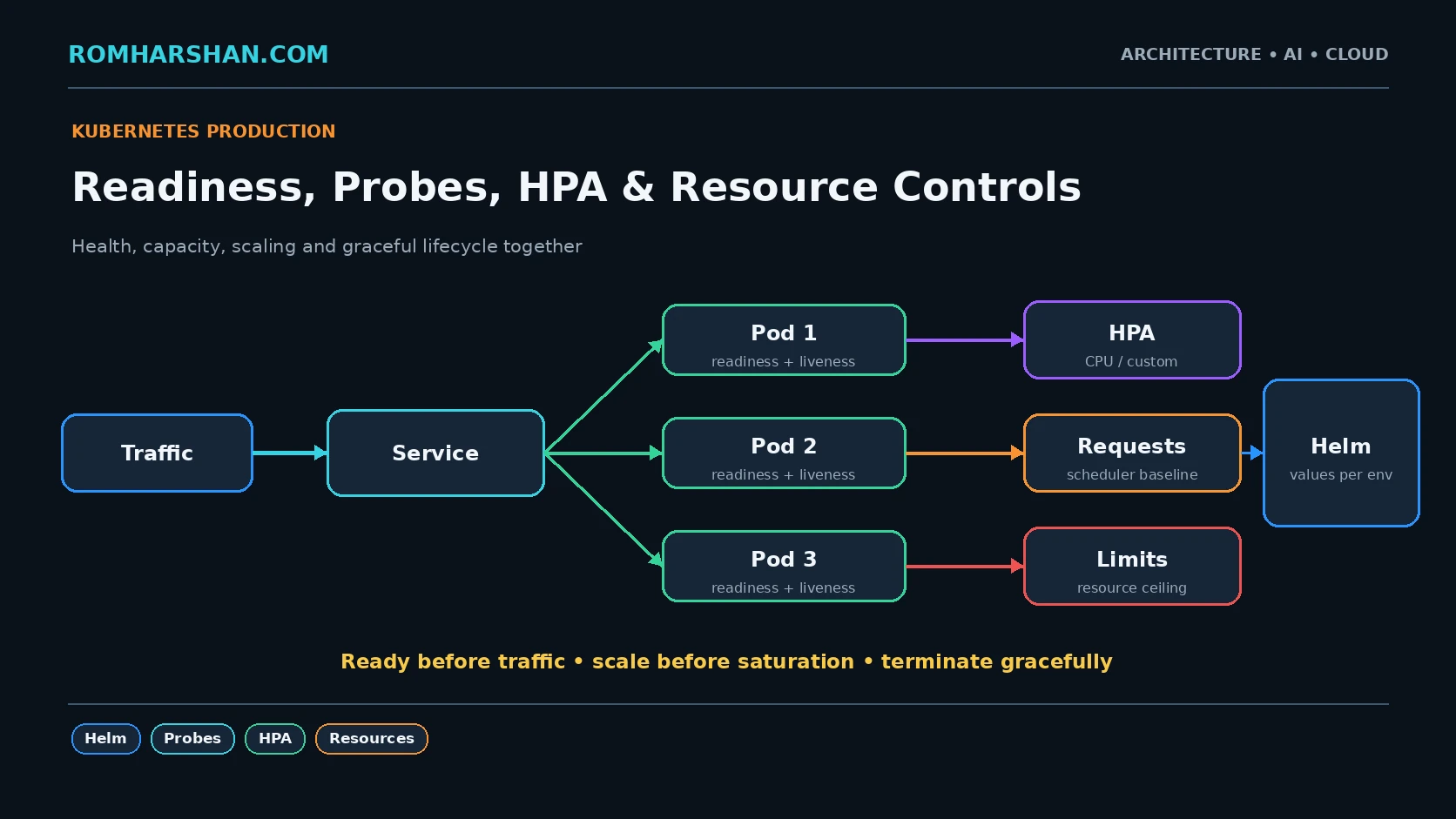
Kubernetes Production Readiness: Helm, Probes, Resources, HPA and Graceful Shutdown
A running pod is not production readiness
This is not enough:
kubectl get pods
STATUS Running
I want to know:
Can it receive traffic?
Can it shut down safely?
Does scheduler know its resource needs?
Can it survive node maintenance?
Can it scale on the right signal?
Can I reproduce deployment config?
Helm packaging
Chart structure:
booking/
  Chart.yaml
  values.yaml
  values-prod.yaml
  templates/
    deployment.yaml
    service.yaml
    ingress.yaml
    hpa.yaml
    pdb.yaml
Values:
replicaCount: 4

image:
  repository: registry/booking
  tag: "2026.09.01"

resources:
  requests:
    cpu: 250m
    memory: 256Mi
  limits:
    cpu: "1"
    memory: 768Mi
I keep environment differences in controlled values, not duplicated YAML copies.
Startup, readiness and liveness
startupProbe:
  httpGet:
    path: /health/startup
    port: 8080
  failureThreshold: 30
  periodSeconds: 2

readinessProbe:
  httpGet:
    path: /health/ready
    port: 8080
  periodSeconds: 5

livenessProbe:
  httpGet:
    path: /health/live
    port: 8080
  periodSeconds: 10
Purpose:
startup   -> finished initialization?
readiness -> safe to receive traffic?
liveness  -> process stuck and needs restart?
I do not make liveness depend on every remote service. If payment provider is down, restarting all booking pods does not help.
Requests and limits
Requests influence scheduling.
Limits cap usage.
If a Java service regularly needs 900 MiB but requests 128 MiB, the scheduler assumes unrealistic capacity.
If every service requests 2 CPU but uses 100m, the cluster remains underutilized.
I review:
requested CPU vs actual
requested memory vs working set
throttling
OOMKilled
HPA
apiVersion: autoscaling/v2
kind: HorizontalPodAutoscaler
metadata:
  name: booking-service
spec:
  scaleTargetRef:
    apiVersion: apps/v1
    kind: Deployment
    name: booking-service
  minReplicas: 4
  maxReplicas: 20
  behavior:
    scaleDown:
      stabilizationWindowSeconds: 300
  metrics:
    - type: Resource
      resource:
        name: cpu
        target:
          type: Utilization
          averageUtilization: 65
CPU is not always the best signal.
Kafka consumer can scale from lag.
Request worker can scale from queue depth.
API can scale from request concurrency/latency.
HPA can hurt downstream
If database supports 300 concurrent writes, scaling API pods from 5 to 50 can overload it.
Autoscaling must work with:
- connection pool;
- bulkhead;
- backpressure;
- downstream limits.
PodDisruptionBudget
apiVersion: policy/v1
kind: PodDisruptionBudget
metadata:
  name: booking-pdb
spec:
  minAvailable: 3
  selector:
    matchLabels:
      app: booking-service
This protects voluntary disruptions such as node maintenance, within limits.
Graceful shutdown
terminationGracePeriodSeconds: 30NestJS:
app.enableShutdownHooks();Kafka worker should stop fetching new messages, finish/commit bounded in-flight work, then disconnect.
PreStop
Sometimes I add a short preStop delay when load-balancer endpoint propagation requires it:
lifecycle:
  preStop:
    exec:
      command:
        - /bin/sh
        - -c
        - sleep 5
I do not use arbitrary sleep as a substitute for understanding termination flow.
Production checklist
- Helm values separated by environment.
- Immutable image tag/digest.
- Startup probe.
- Readiness probe.
- Liveness probe.
- Requests based on measurement.
- Limits tested.
- HPA on meaningful signal.
- Scale-down stabilization.
- PDB for critical replicas.
- Graceful SIGTERM.
- Topology spread/anti-affinity.
- Monitor throttling/OOM.
- Test node drain.
- Test dependency outage.
FAQ
Should liveness check the database?
Usually not as a hard dependency. DB outage should not cause every pod to restart repeatedly.
HPA CPU or custom metric?
Use the metric that represents saturation. CPU is useful only when CPU drives capacity.
Is Helm required?
No. It is one packaging/templating option. I use it where teams need repeatable environment deployments and value conventions.
Related architecture guides
- [Docker to Kubernetes: Containers I Have Used in Real Enterprise Projects](/articles/docker-kubernetes-containers-real-enterprise-projects)
- [Kubernetes Primitives](/articles/kubernetes-deployment-service-ingress-production)
-
Architect's final take
Production Kubernetes is mainly about behavior during change and failure. Probes, resources, autoscaling and shutdown determine whether the orchestrator can actually protect the application.
Your feedback helps prioritize deeper technical content.

Romharshan Singh
Senior Solution Architect and Full Stack Technology Leader with 20+ years of enterprise engineering experience across AI, cloud, distributed systems, Java, Node.js, React, Angular, Kafka and Kubernetes.